
 SHOW SLATEBY TIFA
Picture shows on the big TV.Shows de fotos en el TV grande.
Load your pictures, set the time and notes for each one, pick a colour look and a song, and play the show full screen on any 4K TV. Right in your browser.Carga tus fotos, pon el tiempo y las notas de cada una, elige un look de color y una canción, y pasa el show en pantalla completa en cualquier TV 4K. En tu navegador.
Any computer + a TV · Chrome, Edge, Safari · App in EnglishCualquier computadora + un TV · Chrome, Edge, Safari · App en inglés
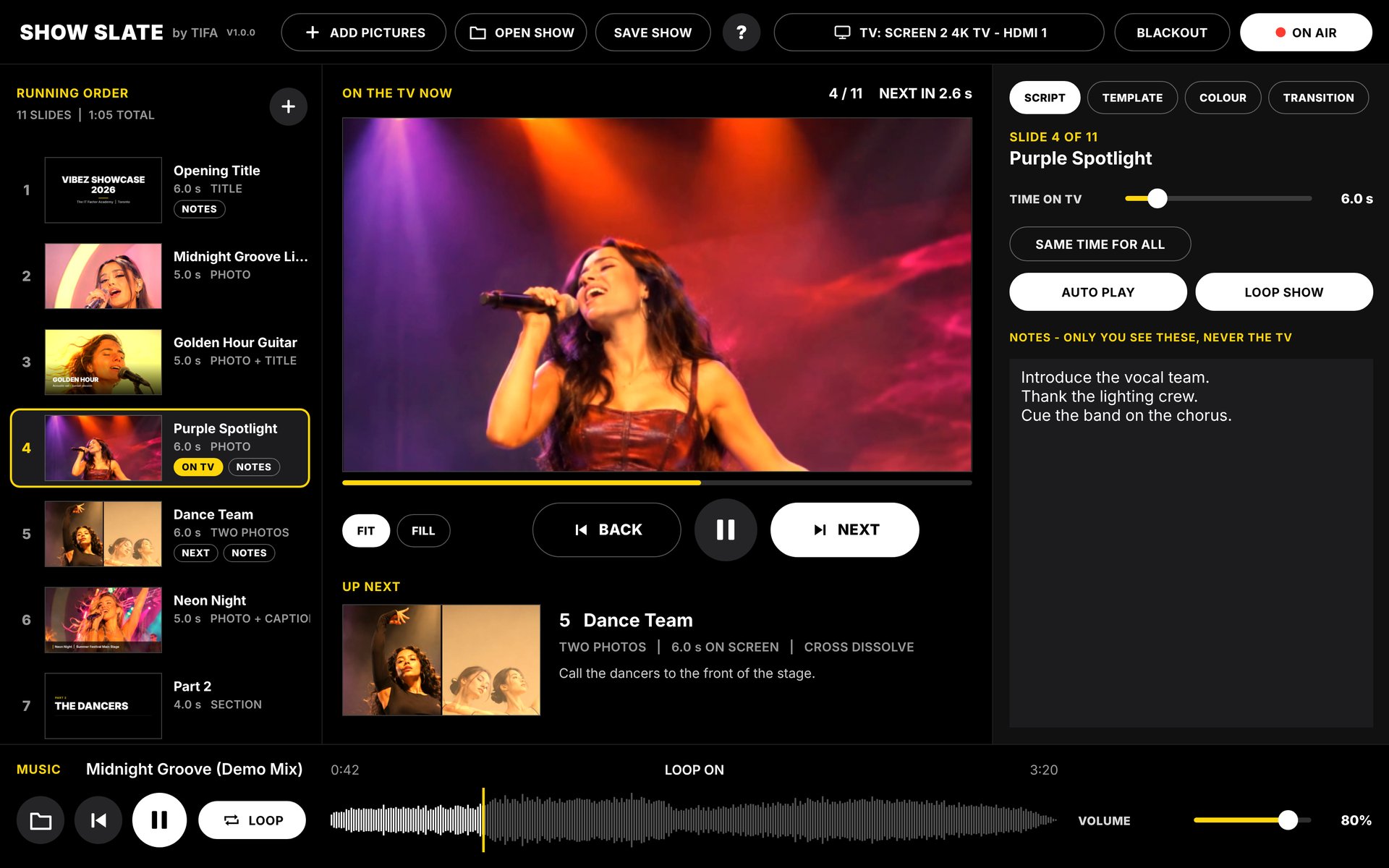
Your pictures on the big screen. You in control.Tus fotos en la pantalla grande. Tú en control.
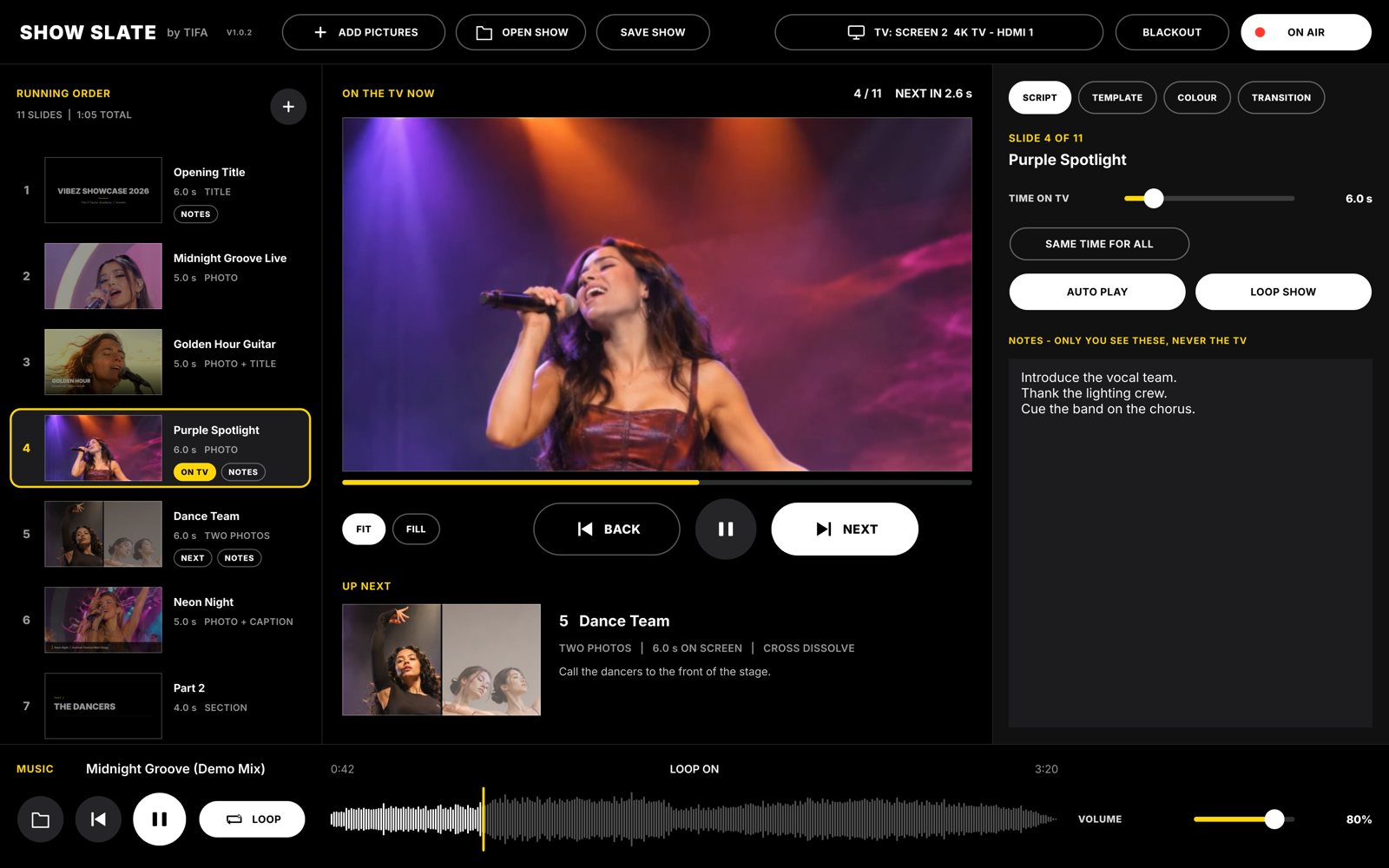
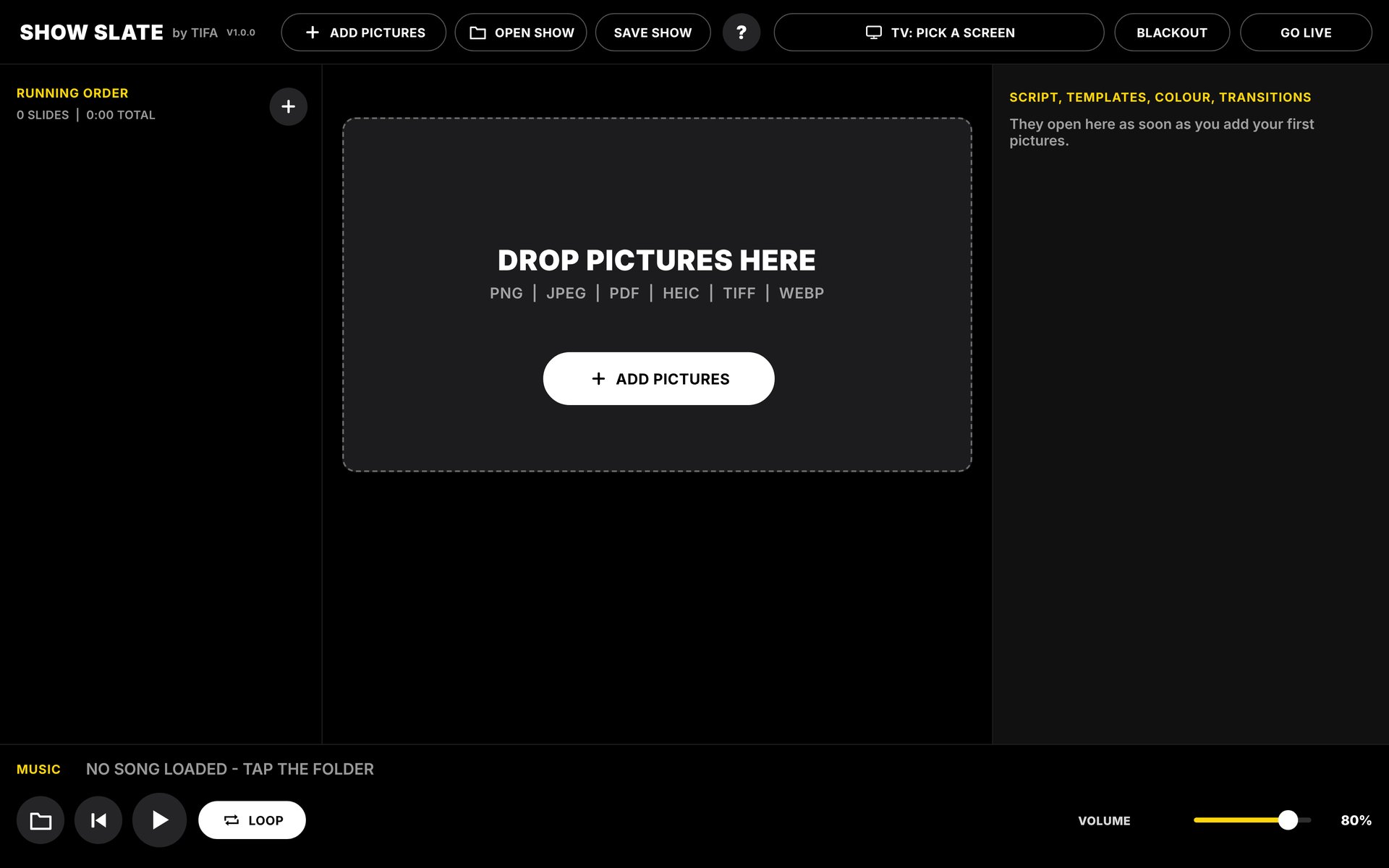
The show plays full screen on the TV. Your computer keeps the control window: what's on now, what's next, your notes, the music and NEXT / BACK.El show se ve en pantalla completa en el TV. Tu computadora tiene la ventana de control: lo que está ahora, lo que sigue, tus notas, la música y NEXT / BACK.
Every slide gets its time and your notes.Cada foto tiene su tiempo y tus notas.
Drag pictures in. Drag slides up or down to change the order. Give each one its time on the TV, and write notes that only you see, never the TV. AUTO PLAY moves on by itself, or LOOP SHOW keeps it going.Arrastra las fotos. Arrastra las fotos arriba o abajo para cambiar el orden. Dale a cada una su tiempo en el TV y escribe notas que solo tú ves, nunca el TV. AUTO PLAY avanza solo, o LOOP SHOW lo repite.
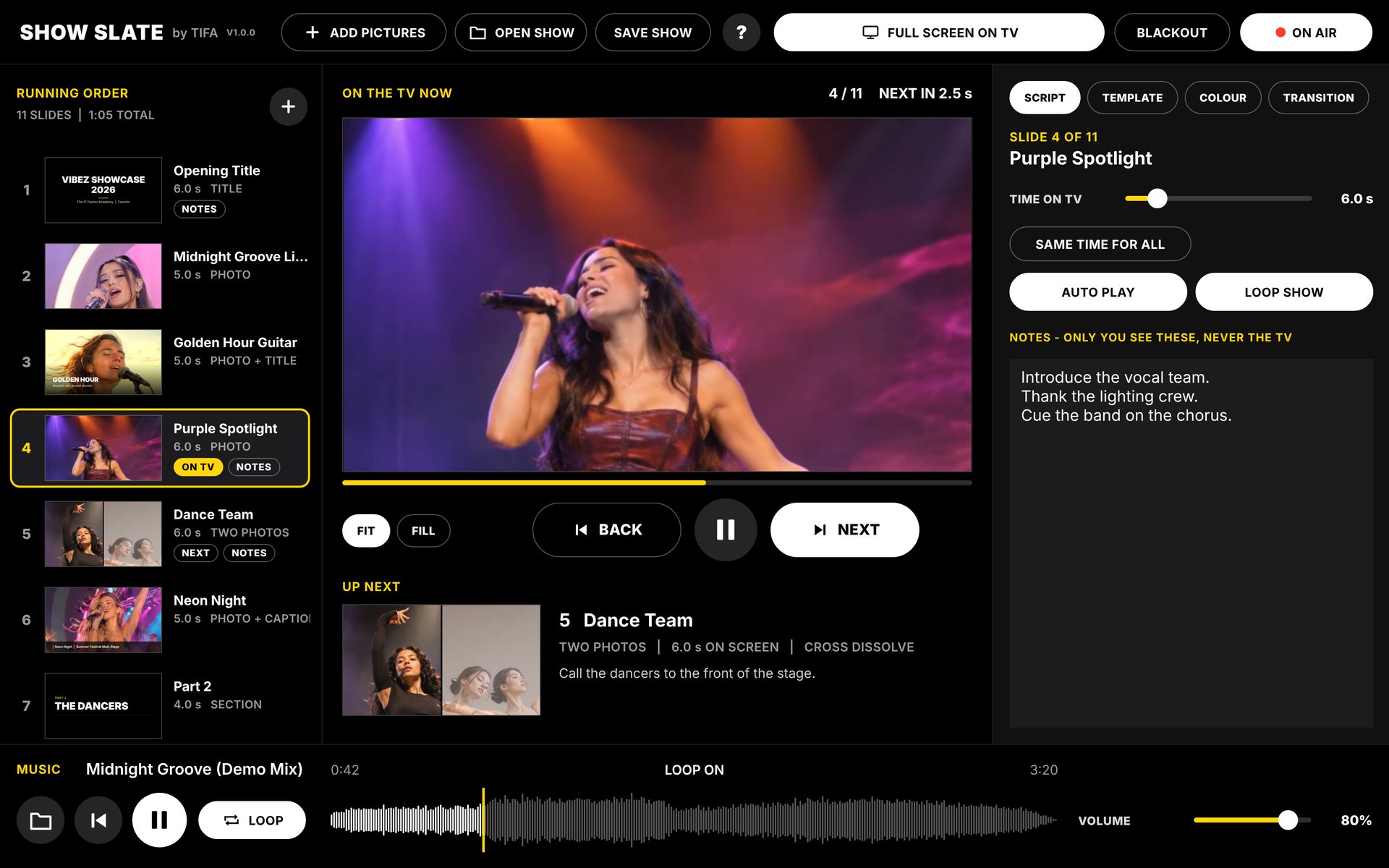
Photo, title, two photos, captions, thank you.Foto, título, dos fotos, textos, gracias.
Pick how each slide looks on the TV: one photo, photo with a title, photo with a caption, two or three photos, a section title, bullets, a quote or a thank-you page.Elige cómo se ve cada foto en el TV: una foto, foto con título, foto con texto, dos o tres fotos, título de sección, puntos, una cita o una página de gracias.
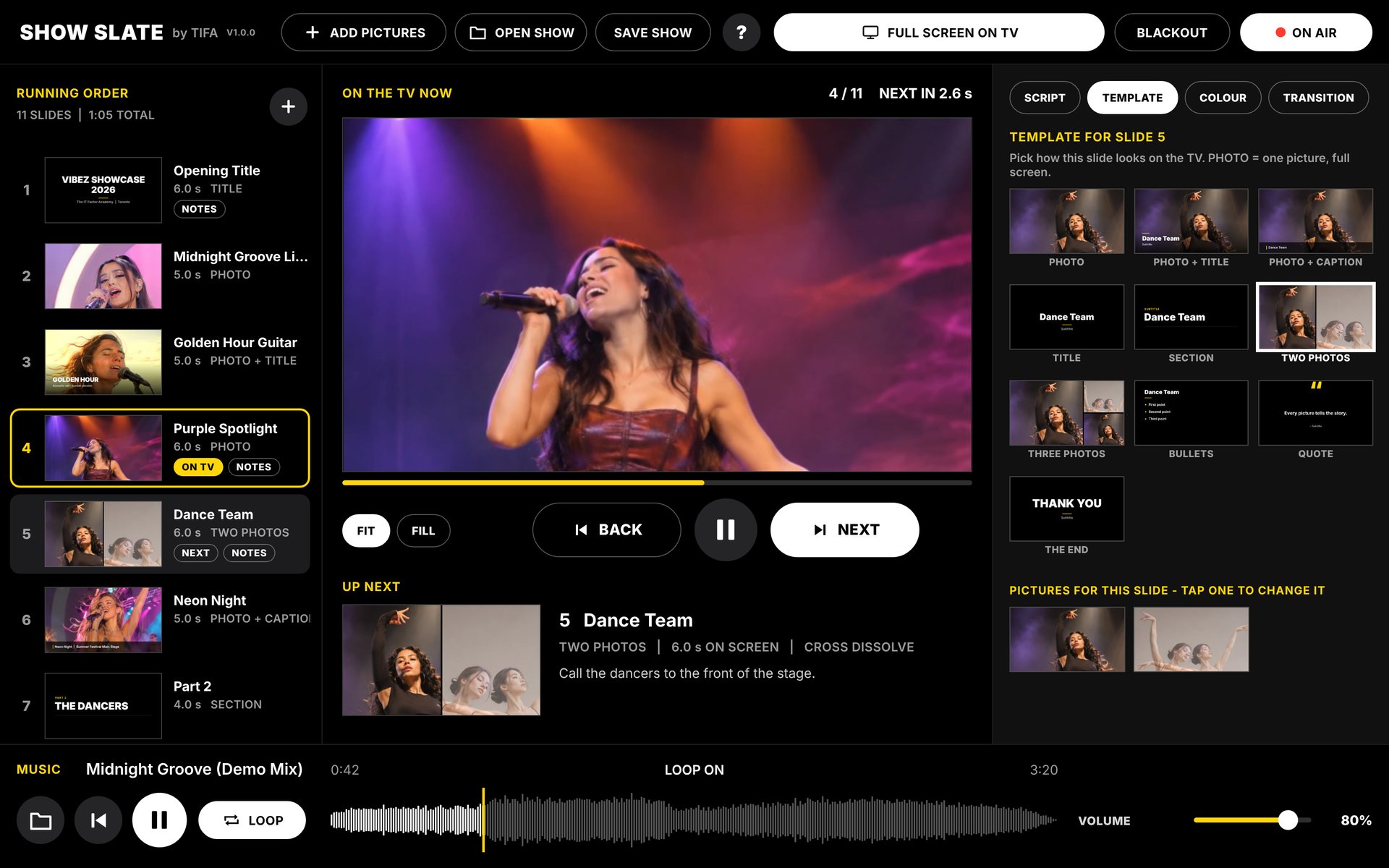
One look for every picture on the TV.Un look para todas las fotos en el TV.
The same looks as BEAT SLATE: Golden Hour, Moody Tonal, Black & White, 70s Film, 1950s Technicolor and more, plus brightness, contrast, saturation and warmth. Hold to see the original. Text is never coloured.Los mismos looks de BEAT SLATE: Golden Hour, Moody Tonal, Blanco y negro, Película de los 70, Technicolor de los 50 y más, con brillo, contraste, saturación y calidez. Mantén para ver el original. El texto nunca se colorea.
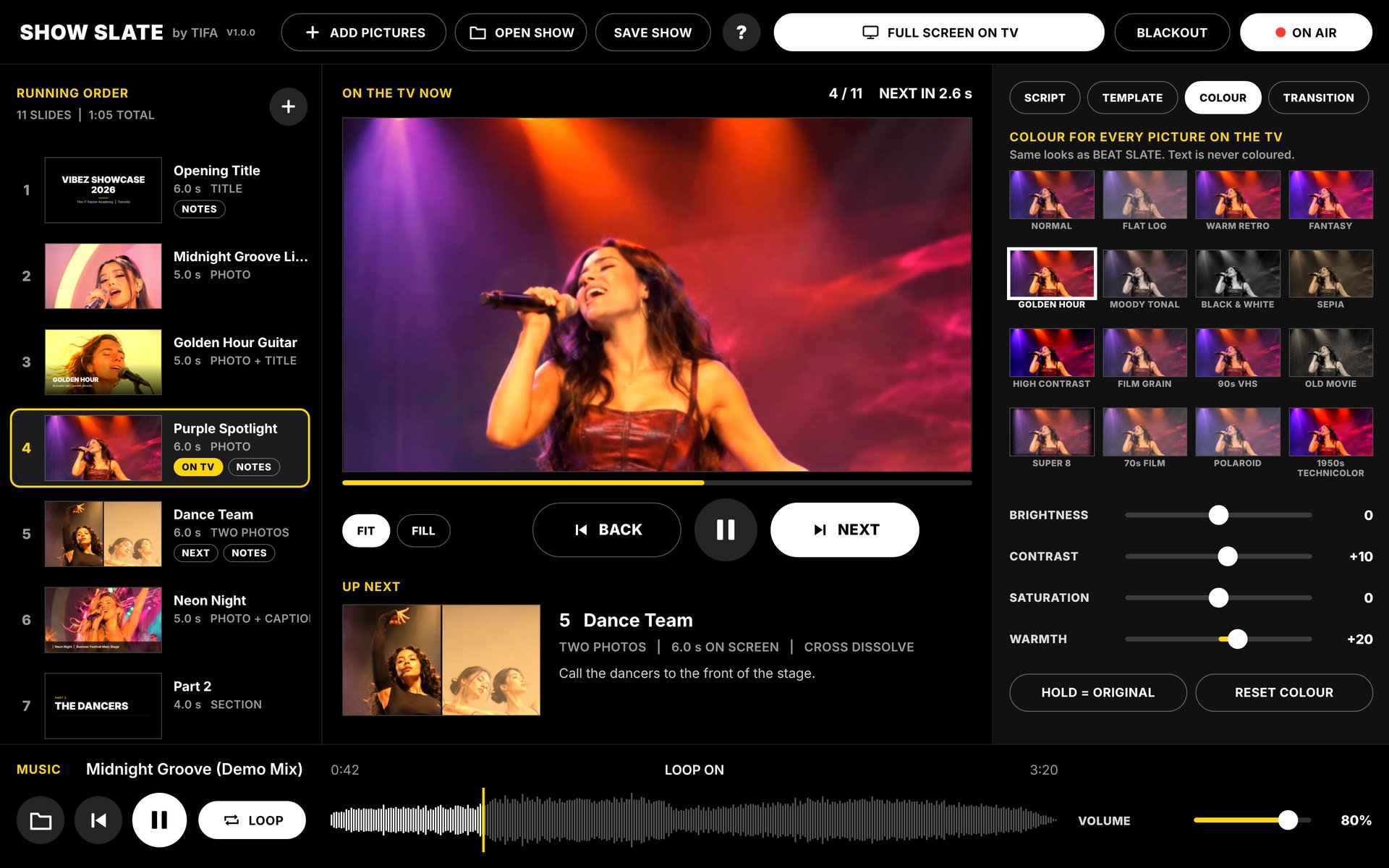
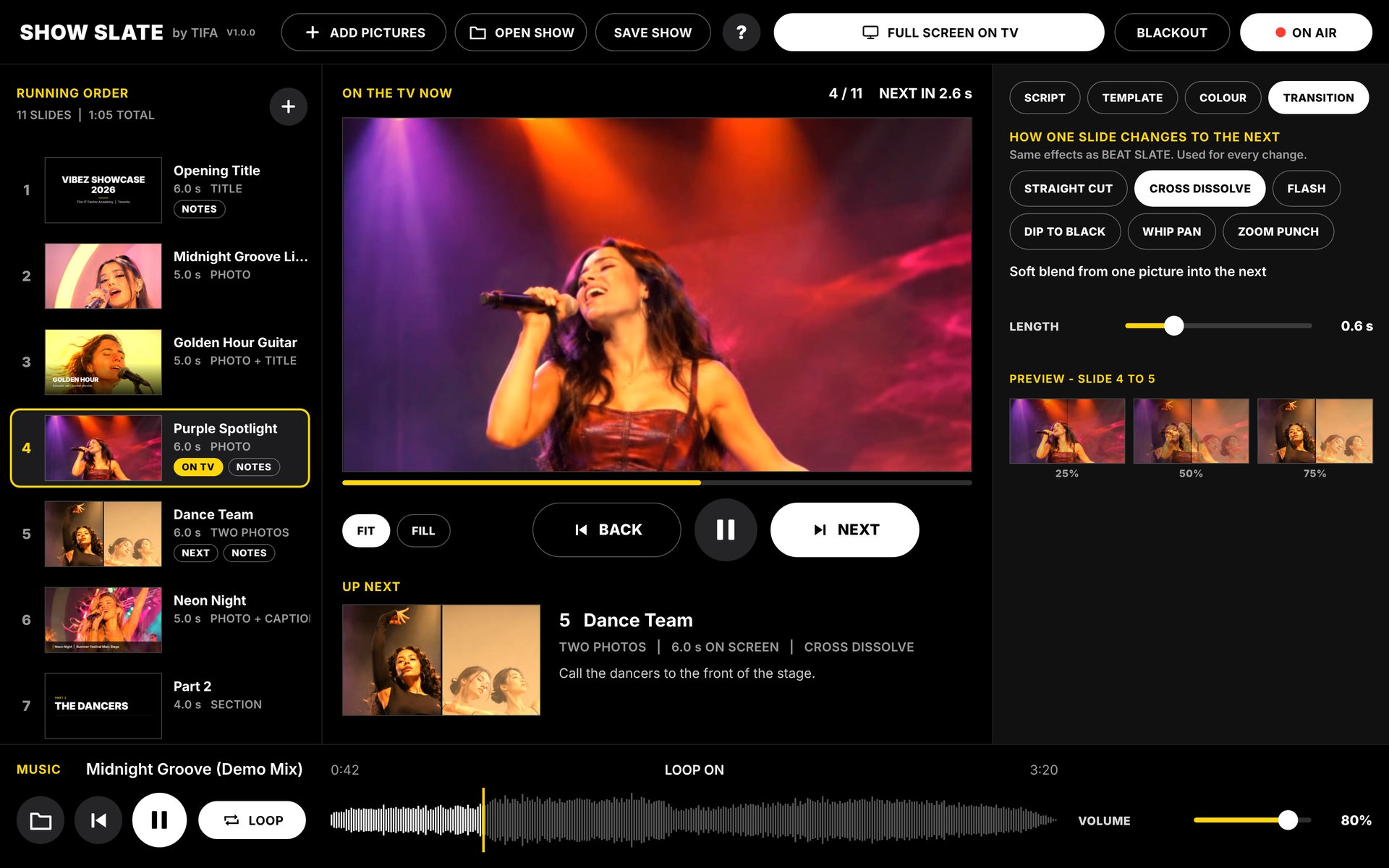
How one slide changes to the next.Cómo una foto cambia a la siguiente.
Straight cut, cross dissolve, flash, dip to black, whip pan or zoom punch, with the length you want, and a preview right there.Corte directo, disolvencia, flash, fundido a negro, barrido o zoom, con la duración que quieras, y una vista previa ahí mismo.
Your song plays under the show.Tu canción suena durante el show.
Load a song and play, pause, rewind or loop it while the pictures change, with its wave and volume right in the control window.Carga una canción y reprodúcela, pausa, rebobina o repítela mientras cambian las fotos, con su onda y el volumen en la ventana de control.
Pick the TV. Press GO LIVE.Elige el TV. Toca GO LIVE.
In Chrome or Edge, pick the TV and the slideshow opens on it by itself, then FULL SCREEN ON TV once. In Safari, drag the slideshow window onto the TV and click FULL SCREEN. Full 4K, nothing else on the screen.En Chrome o Edge, elige el TV y el show se abre ahí solo, luego FULL SCREEN ON TV una vez. En Safari, arrastra la ventana del show al TV y haz clic en FULL SCREEN. 4K completo, nada más en la pantalla.
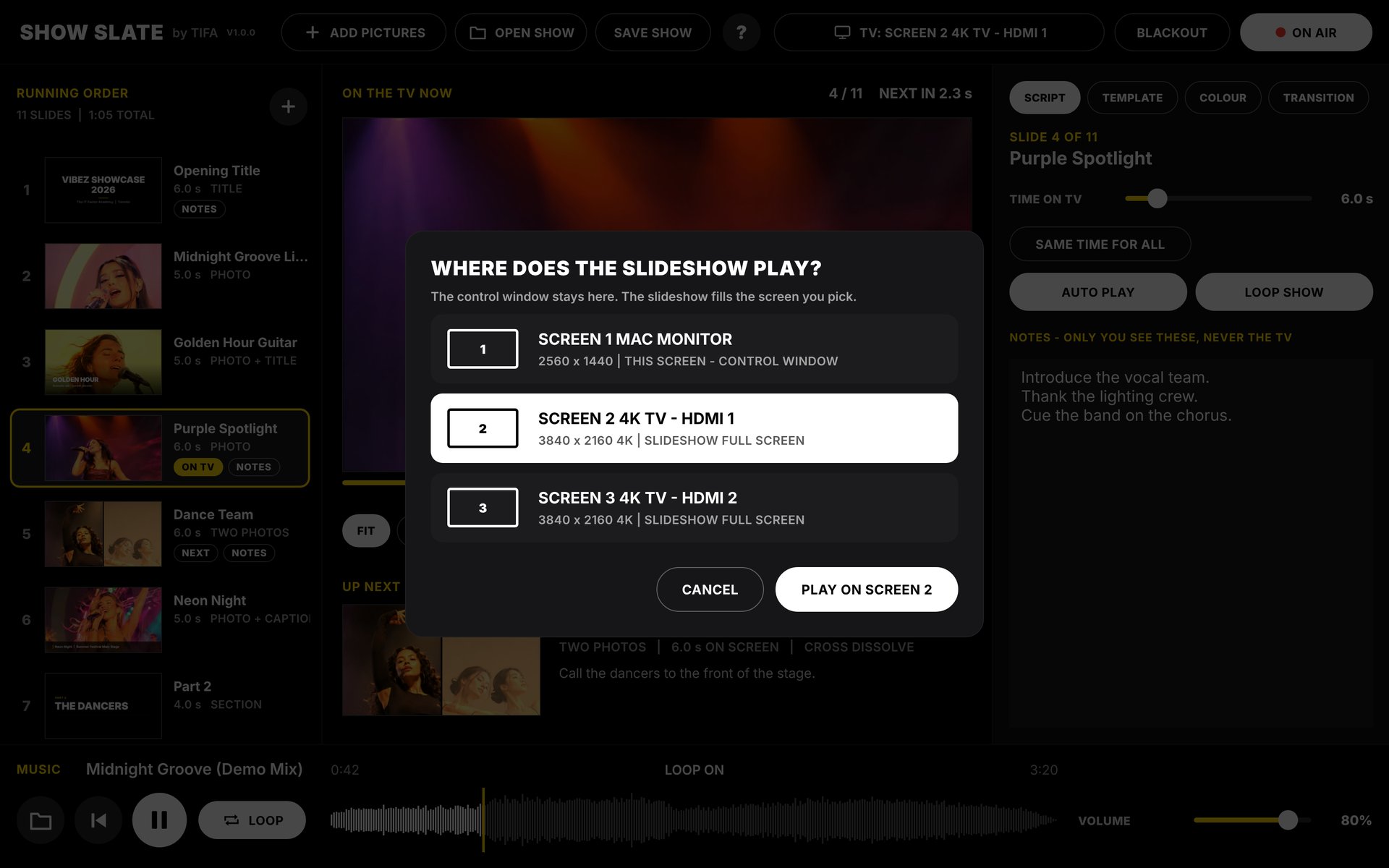
This is what the audience sees.Esto es lo que ve el público.
Only your picture, edge to edge on the TV.Solo tu foto, de borde a borde en el TV.

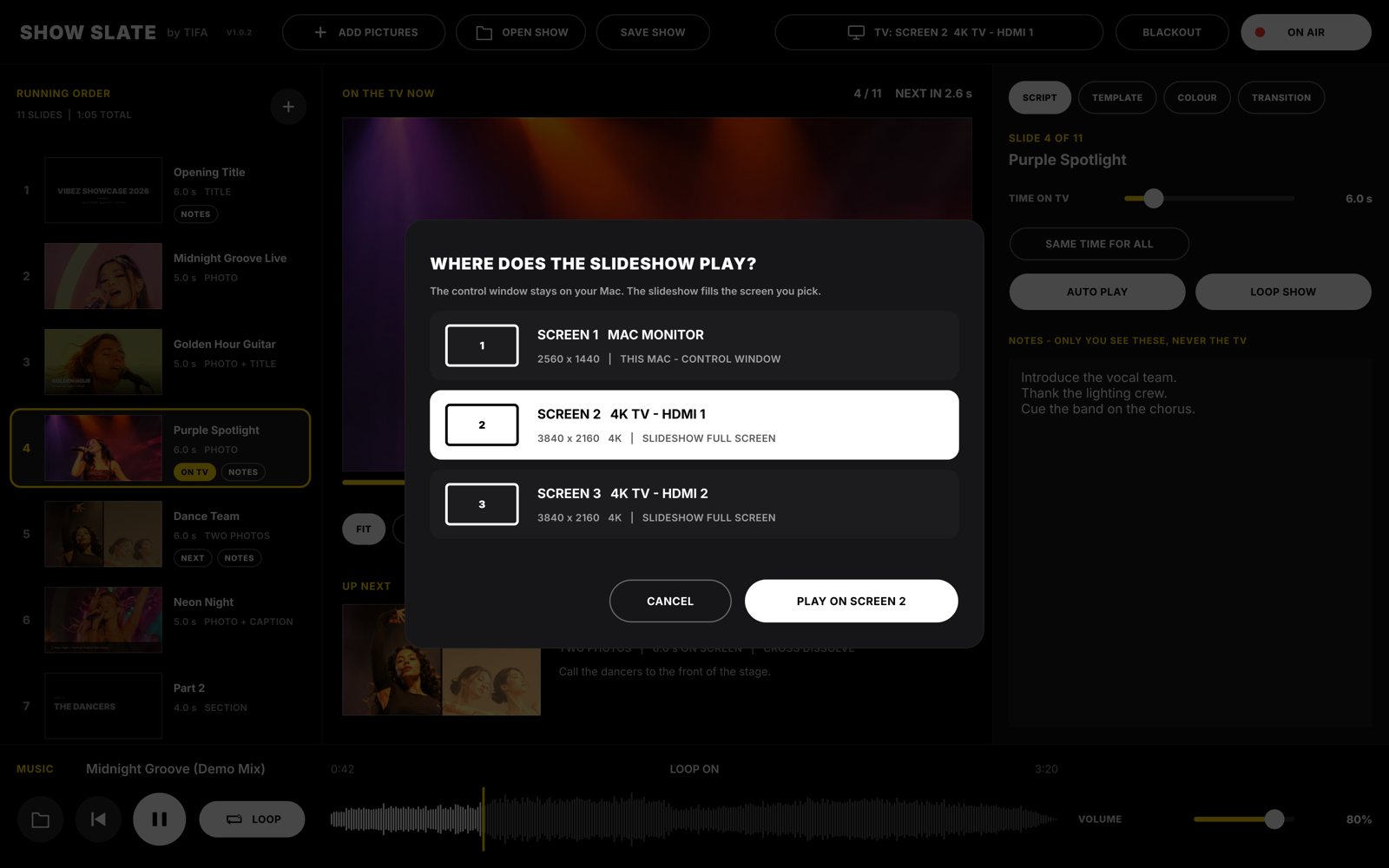
Download the Mac app. The show goes on the TV by itself.Descarga la app de Mac. El show va al TV solo.
Pick the screen the slideshow plays on. The control window stays on your Mac, and the show fills the TV in full 4K, with no browser bars.Elige la pantalla donde se ve el show. La ventana de control se queda en tu Mac y el show llena el TV en 4K completo, sin barras del navegador.
Videos, chapters, a logo and a whole playlist.Videos, capítulos, un logo y toda una lista de canciones.
The Mac app does more: videos and moving GIFs as slides, chapters, your logo on every picture, a playlist with crossfades, a PREVIEW before it goes on the TV, and you move, size and type titles right on the picture.La app de Mac hace más: videos y GIF animados como fotos, capítulos, tu logo en cada foto, una lista de canciones con crossfade, una VISTA PREVIA antes de que salga en el TV, y mueves, cambias el tamaño y escribes los títulos en la foto.
Your pictures never leave your computer.Tus fotos nunca salen de tu computadora.
Pictures, PDFs and songs are opened and shown on your own computer and screens. Nothing is uploaded, and there is no account to make. SAVE SHOW keeps everything in one file where you choose.Las fotos, los PDF y las canciones se abren y se ven en tu propia computadora y pantallas. No se sube nada y no hace falta cuenta. SAVE SHOW guarda todo en un archivo donde tú elijas.
Get the appObtén la app
Open it right now in your browser, or download the Mac app.Ábrelo ahora en tu navegador, o descarga la app de Mac.
Open it on the websiteÁbrelo en la webDownload for MacDescargar para Mac